Product Features

Built for Complex Billing Operations

BillFlow 360 gives finance, accounts, and management teams the tools to manage high-volume billing without spreadsheets, manual reconciliation, or disconnected systems. Explore every capability in depth.

Feature Overview

Multiple Capabilities. One Platform.

Each feature is designed to solve a specific billing challenge with structured workflows, audit-ready data, and reports generated from live system figures.

Tally Integration

Integrate BillFlow 360 with Tally to seamlessly import vouchers, synchronize accounting data, reduce manual effort, and maintain consistency between financial records and billing operations.

Problem

Billing data in BillFlow 360 and accounting records in Tally are maintained separately requiring manual voucher entry and increasing the risk of mismatched figures.

Solution

BillFlow 360 integrates with Tally to import vouchers and synchronize accounting data, keeping financial records aligned with billing operations.

Key Benefits

  • Reduced manual voucher entry
  • Consistent data between billing and accounting
  • Less reconciliation effort at month-end

Workflow

  1. 1Billing transactions are recorded in BillFlow 360
  2. 2Vouchers and accounting data sync with Tally
  3. 3Finance teams review aligned records in both systems
app.billflow360.com
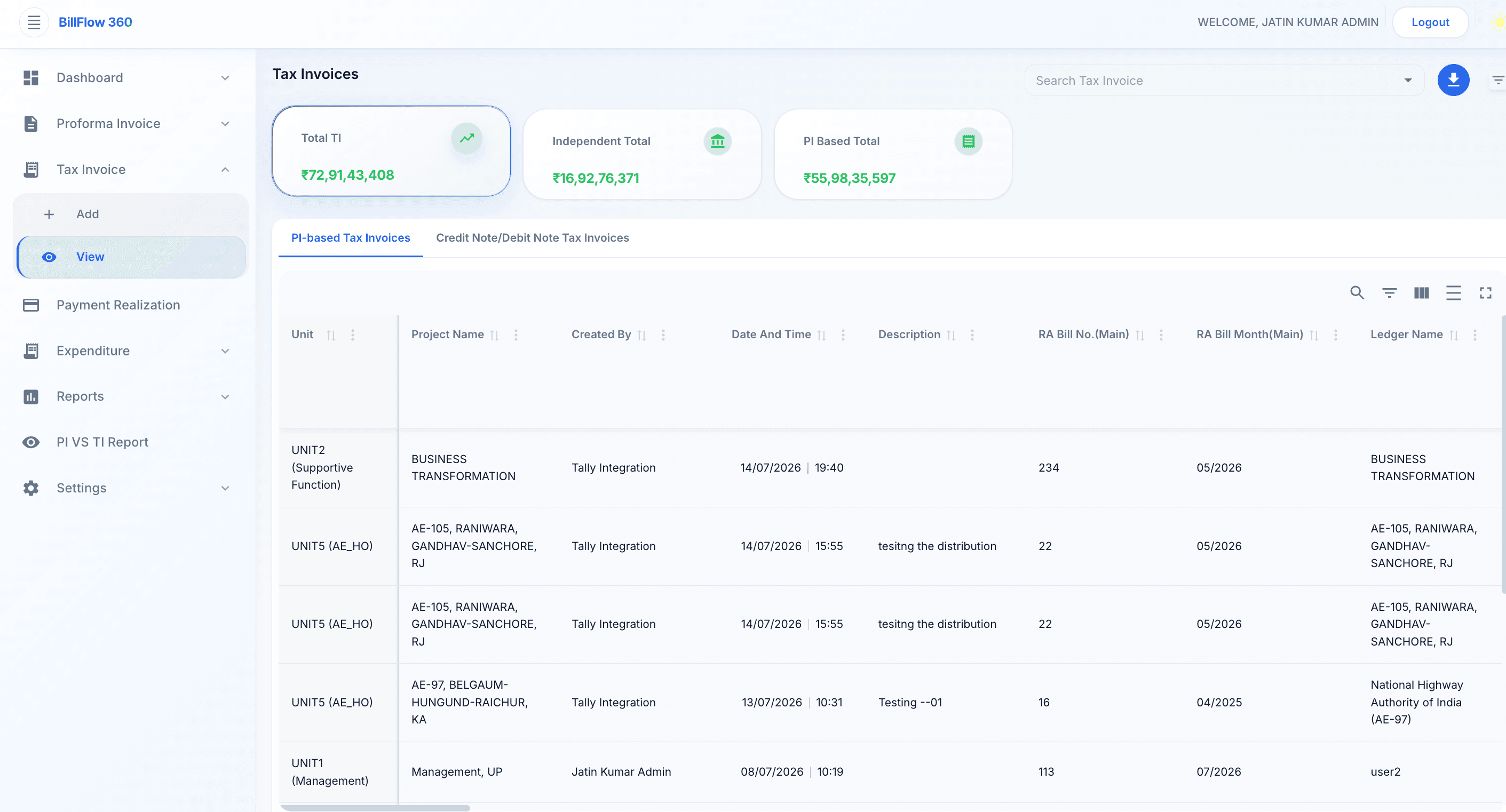
Tally Integration — BillFlow 360 feature preview

Real-Time Analytics

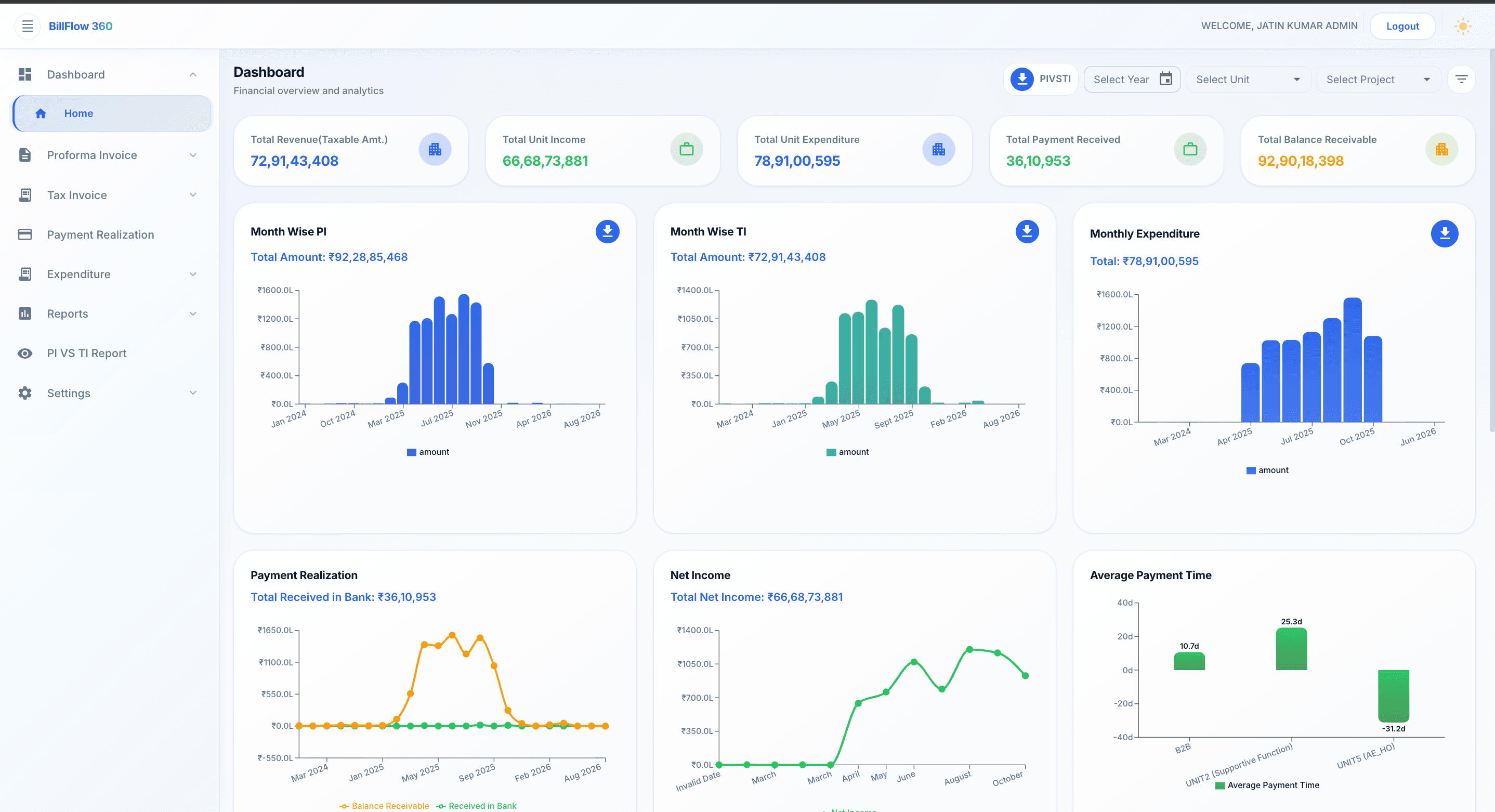
Monitor revenue, receivables, and billing performance as data is entered. Dashboards reflect current figures not last week's export.

Problem

Finance teams rely on exported spreadsheets and delayed reports. By the time leadership reviews billing performance, the data is already outdated.

Solution

BillFlow 360 dashboards update as transactions are recorded revenue, receivables, and billing status reflect live system data across units and projects.

Key Benefits

  • Live KPIs without manual exports
  • Consistent figures across teams and reports
  • Faster month-end and management reviews

Workflow

  1. 1Billing and payment data is entered in BillFlow 360
  2. 2Dashboards refresh automatically with current metrics
  3. 3Finance and management review live performance by unit or project
app.billflow360.com
Real-Time Analytics — BillFlow 360 feature preview

Audit Trail

Every action is logged with user, timestamp, and context. Finance and audit teams can trace changes across the full billing lifecycle.

Problem

Manual processes and shared spreadsheets make it impossible to trace who changed what, when, and why creating compliance and audit risk.

Solution

BillFlow 360 records every create, update, approval, and deletion with user identity, timestamp, and module context across the billing lifecycle.

Key Benefits

  • Complete activity history by user and date
  • Support for internal review and external audit
  • Accountability across approval workflows

Workflow

  1. 1Users perform actions within defined billing workflows
  2. 2System logs each event with full context automatically
  3. 3Audit teams filter and review activity by user, module, or date range
app.billflow360.com
Audit Trail — BillFlow 360 feature preview

Invoice Tracking

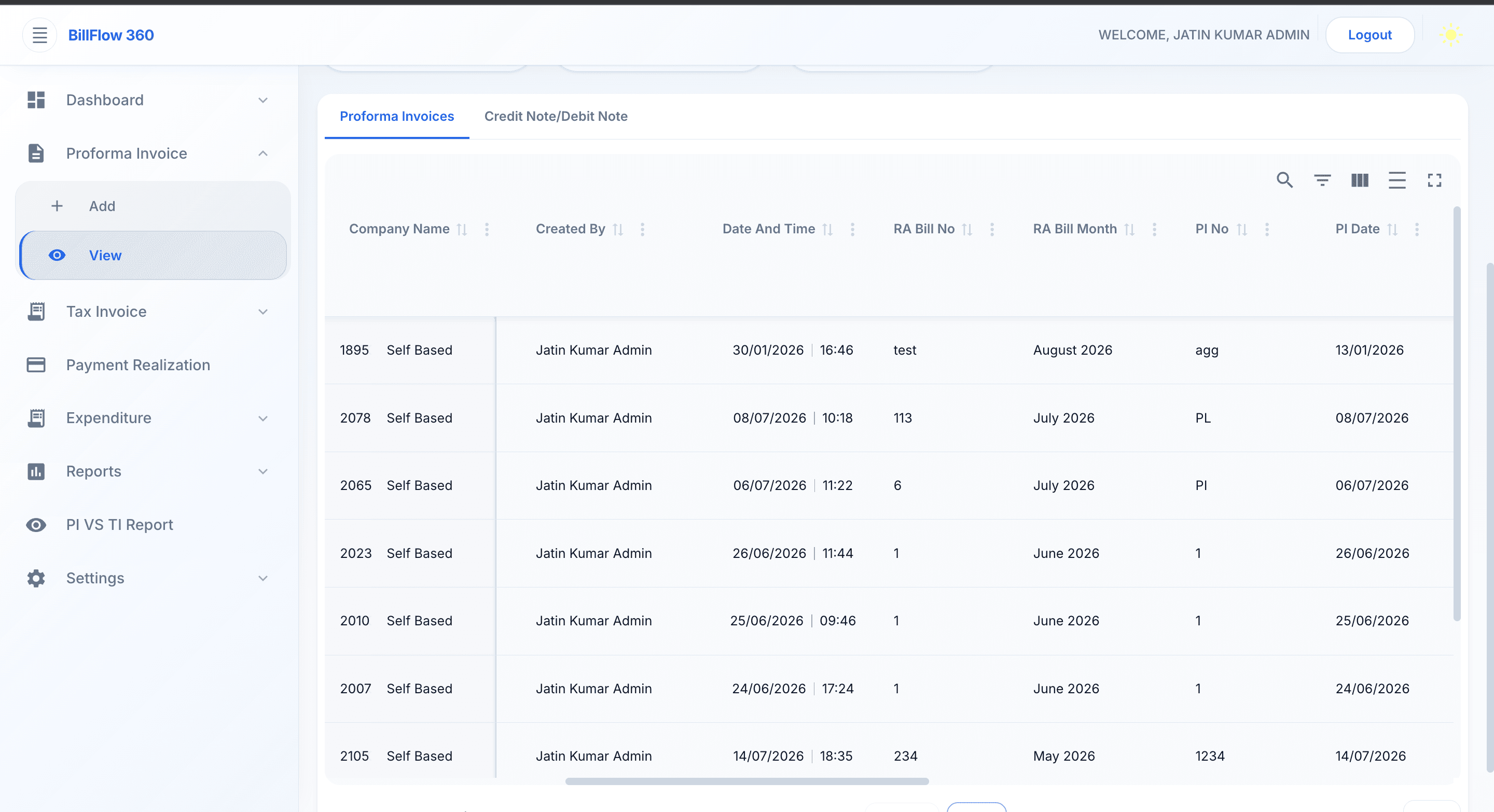
Follow every proforma and tax invoice from creation through approval, issuance, and closure. Status is visible at a glance no follow-up emails required.

Problem

Proforma and tax invoices move through email, shared drives, and individual trackers. No one has a reliable view of what is pending, approved, or overdue.

Solution

BillFlow 360 tracks every invoice through defined stages draft, approval, issuance, and closure with status visible to all authorized users.

Key Benefits

  • End-to-end invoice pipeline visibility
  • Structured approval routing
  • Reduced follow-up and status inquiries

Workflow

  1. 1Proforma invoices are created
  2. 2proformas convert to tax invoices
  3. 3Finance teams track status through closure from one view
app.billflow360.com
Invoice Tracking — BillFlow 360 feature preview

Payment Tracking

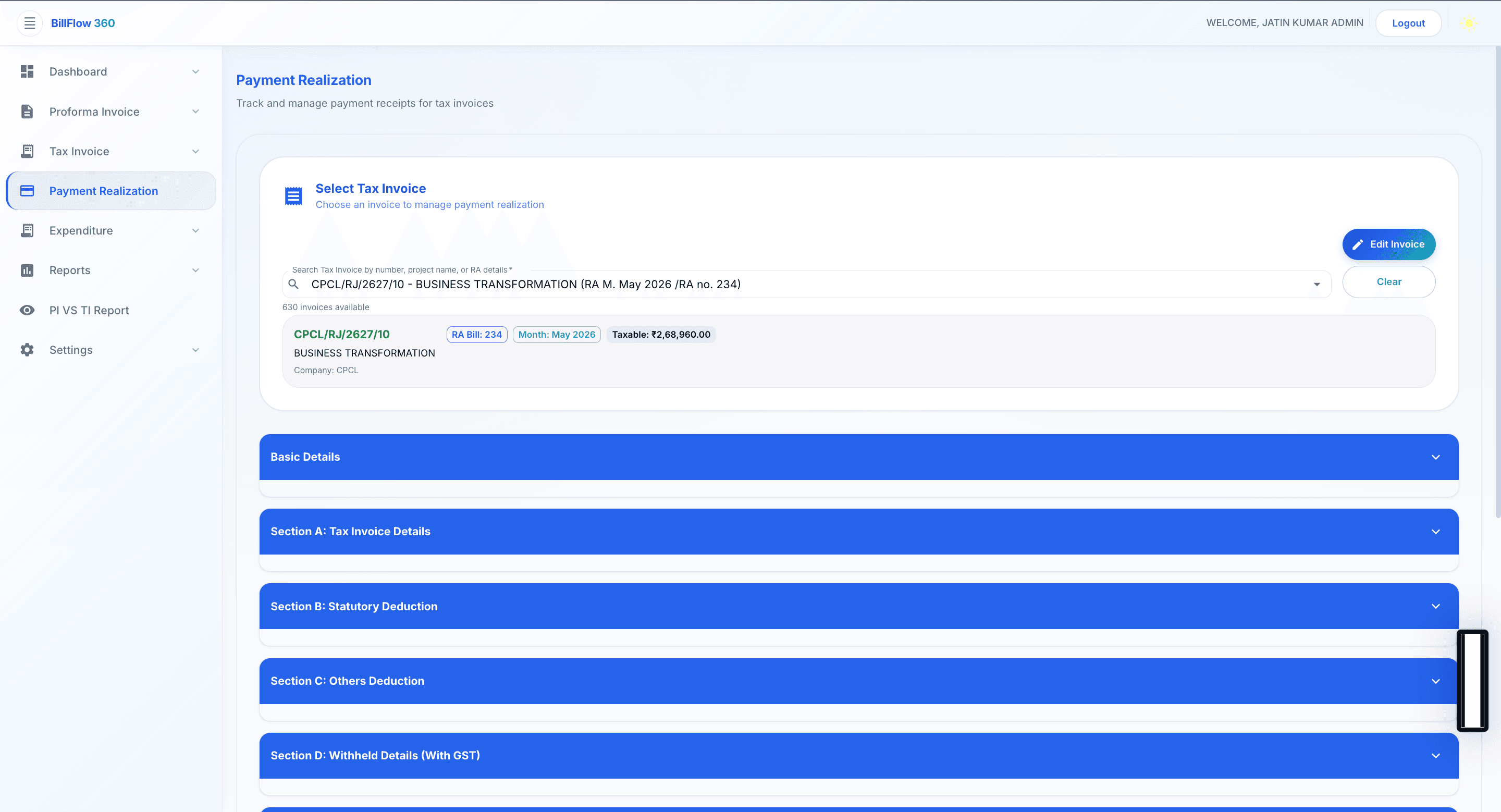
Record and reconcile incoming payments against issued invoices. Identify outstanding amounts and overdue accounts without separate tracking sheets.

Problem

Payments are recorded in one system, invoices in another, and reconciliation happens manually every month delaying visibility into receivables.

Solution

BillFlow 360 links payments directly to issued invoices with partial and full payment support, outstanding balance calculation, and payment history.

Key Benefits

  • Payment-to-invoice matching in one system
  • Partial and full payment recording
  • Outstanding balance visibility by client

Workflow

  1. 1Payments are recorded against issued tax invoices
  2. 2System reconciles amounts and updates receivable balances
  3. 3Finance teams review outstanding and overdue accounts
app.billflow360.com
Payment Tracking — BillFlow 360 feature preview

Revenue Analytics

Analyze revenue trends by month, project, unit, or client. Support forecasting and management reporting with consistent, system-generated figures.

Problem

Revenue analysis requires manual compilation from multiple sources. Trends and forecasts are built on inconsistent, outdated figures.

Solution

BillFlow 360 provides structured revenue analytics with trend views by month, project, unit, and client generated from live billing data.

Key Benefits

  • Trend analysis by multiple dimensions
  • Consistent figures for management reporting
  • Support for forecasting and planning

Workflow

  1. 1Billing data accumulates in BillFlow 360
  2. 2Analytics modules aggregate revenue by selected scope and period
  3. 3Management reviews trends and exports for board reporting
app.billflow360.com
Revenue Analytics — BillFlow 360 feature preview

Monthly Billing

Manage recurring billing cycles with structured monthly workflows. Reduce manual preparation and standardize billing across teams.

Problem

Monthly billing cycles require repetitive manual preparation copying data, building invoices, and routing approvals with no standardized process.

Solution

BillFlow 360 supports structured monthly billing workflows with recurring cycle management, standardized templates, and automated routing.

Key Benefits

  • Standardized monthly billing process
  • Reduced manual preparation time
  • Consistent billing across teams and units

Workflow

  1. 1Monthly billing cycle is initiated per unit or project
  2. 2Proforma invoices are generated and routed for approval
  3. 3Approved invoices proceed through tax invoice and payment tracking
app.billflow360.com
Monthly Billing — BillFlow 360 feature preview

Project-Wise Reports

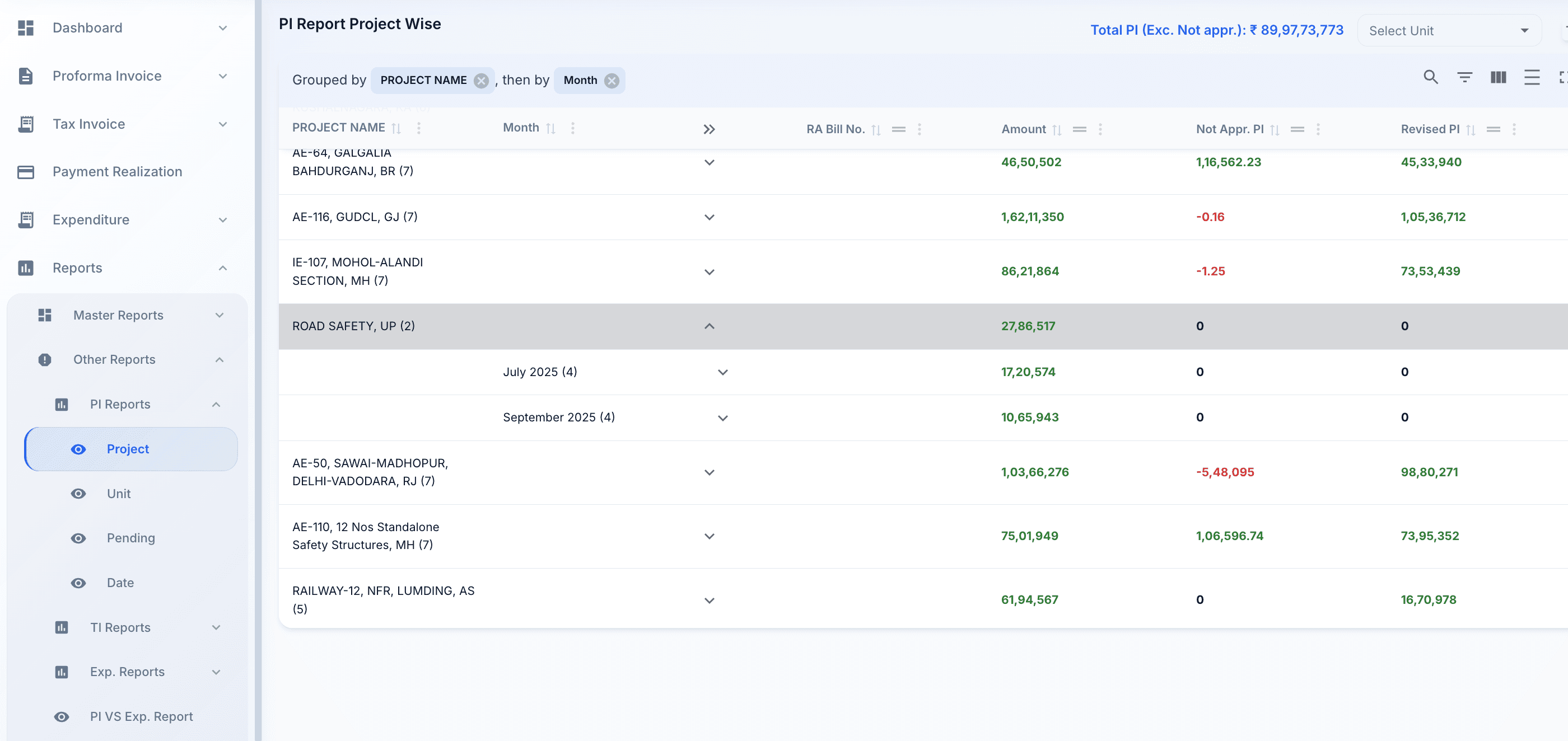
6+ Project Reports generate financial reports scoped to individual projects. Project managers and finance heads review the same numbers from a single source.

Problem

Project-level financial reports require manual extraction and consolidation project managers and finance rarely review the same figures.

Solution

BillFlow 360 generates project-scoped financial reports from live data available to project managers and finance teams from one system.

Key Benefits

  • On-demand project financial reports
  • Shared numbers across PM and finance
  • No manual data extraction

Workflow

  1. 1Project billing and payment data accumulates in the system
  2. 2Users generate project-wise reports by period or scope
  3. 3Stakeholders review and export for meetings or audit
app.billflow360.com
Project-Wise Reports — BillFlow 360 feature preview

Unit-Wise Reports

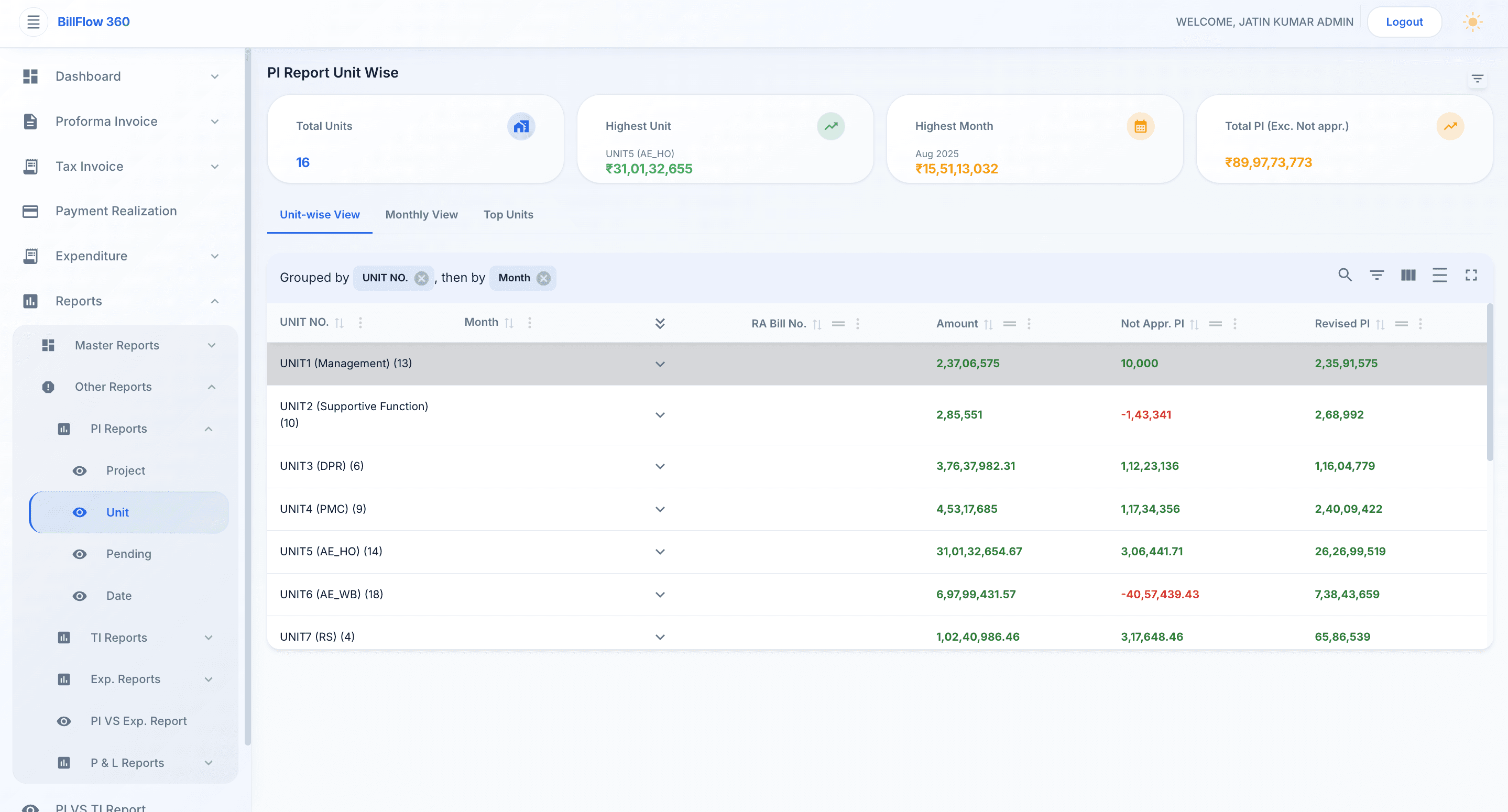
7+ Unit-Wise Reports produce consolidated and unit-specific reports for business heads and executive review. No manual aggregation across departments.

Problem

Unit heads receive reports compiled manually at month-end. Consolidated views for executive review take days to prepare.

Solution

BillFlow 360 produces unit-specific and consolidated reports from live data scoped for business heads and executive review.

Key Benefits

  • Project-wise financial reporting
  • Unit-wise operational reporting
  • Date-wise and pending reports
  • Profit and Loss reports

Workflow

  1. 1Unit-level data is entered and validated in BillFlow 360
  2. 2Unit heads generate scoped reports for their business unit
  3. 3Executive team accesses consolidated organization-wide views
app.billflow360.com
Unit-Wise Reports — BillFlow 360 feature preview

Explore More

Related Pages

Explore BillFlow 360

Deep dive into every BillFlow 360 module

Solutions

Industry-specific billing solutions

Pricing

Enterprise pricing plans

Get Started

See BillFlow 360 Features in Action

Book a demo and see how BillFlow 360 features work together to manage your organization's complete billing lifecycle.